Sending Email through bashscript
S
I am Shradha Arsewar working as Associate software Engineer used to work as a Intern in Product Company (PTC). Likes to share knowledge
Step 1 : install mutt : Open your terminal and install
mutt by running
sudo apt update
sudo apt install mutt
Step 2: Configure mutt for Outgoing Email:
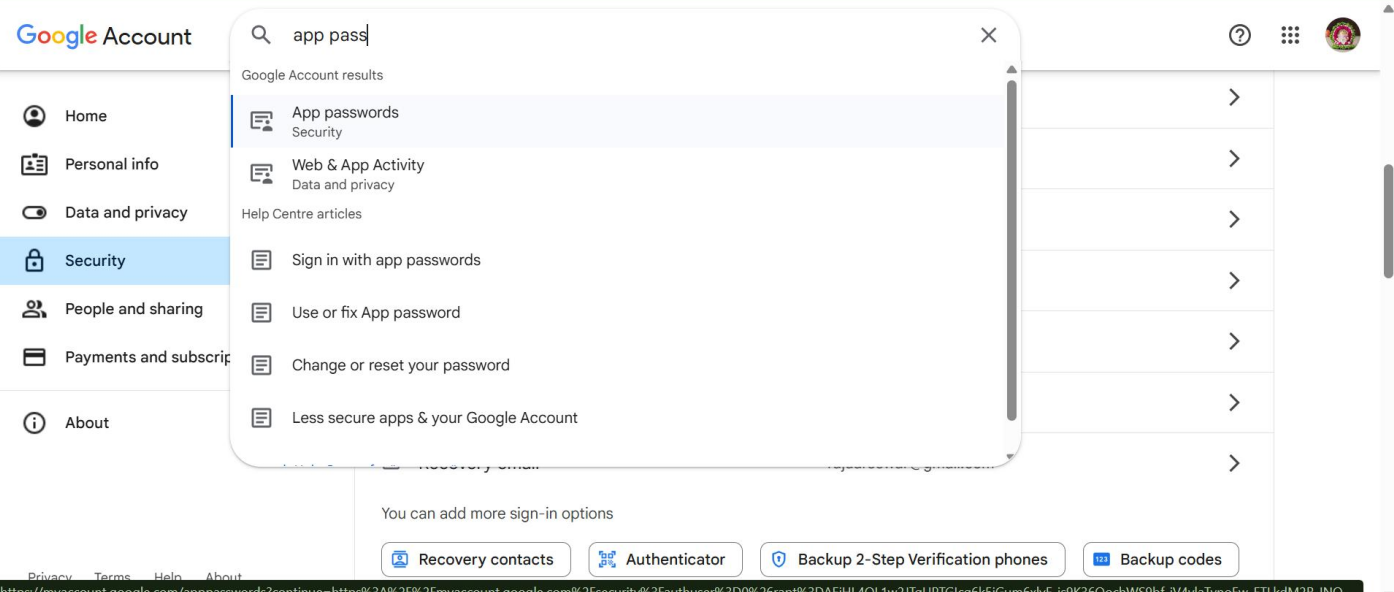
Log into Google account
Go to: Google Account → Security
Enable 2-Step Verification
Then go to App passwords
Choose: App: Mail
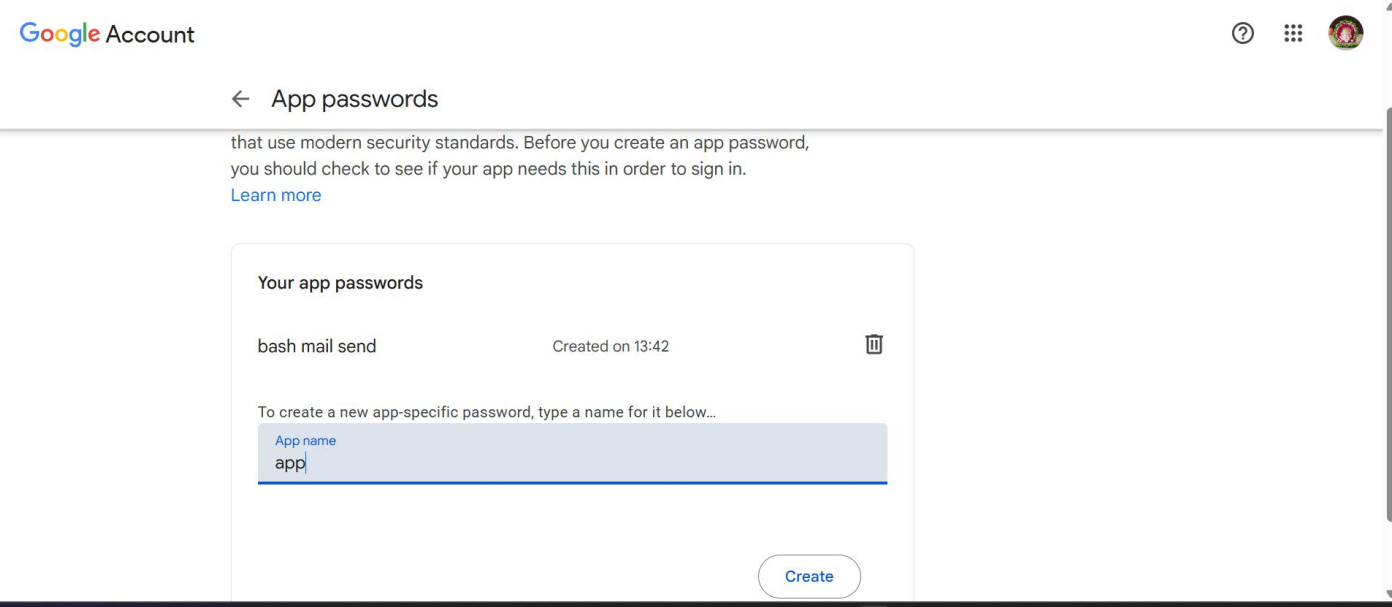
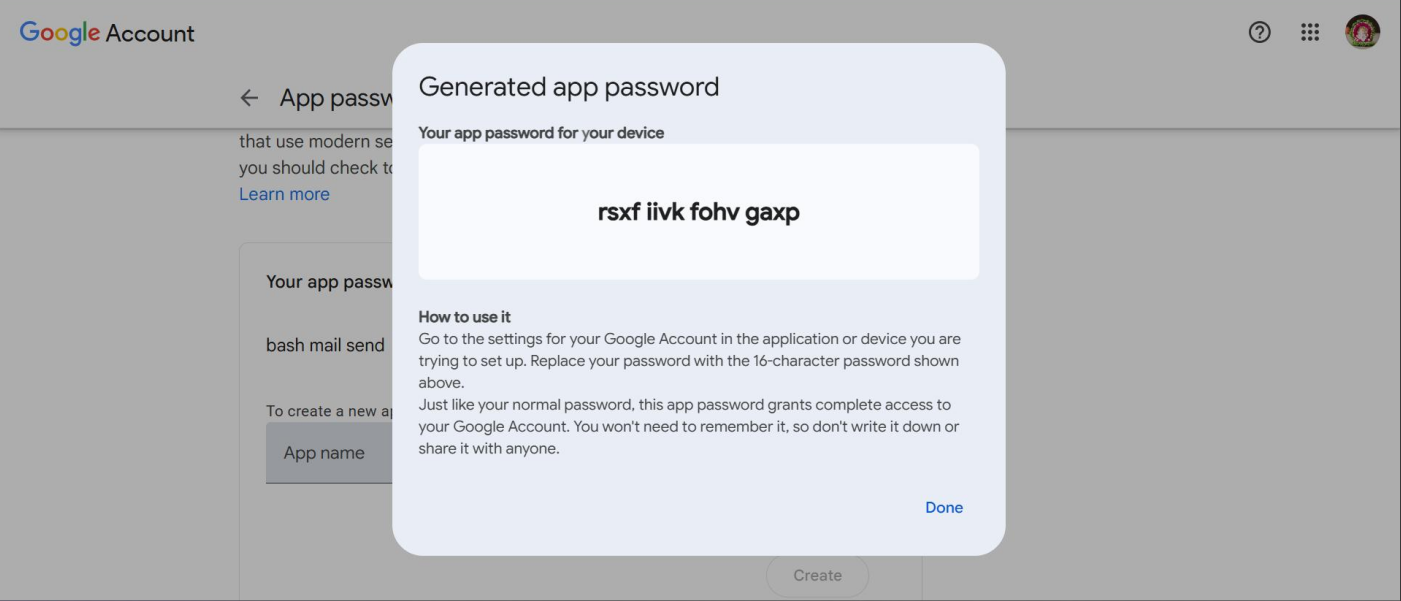
Copy the generated 16-character password
Step 3. Edit Your Script:
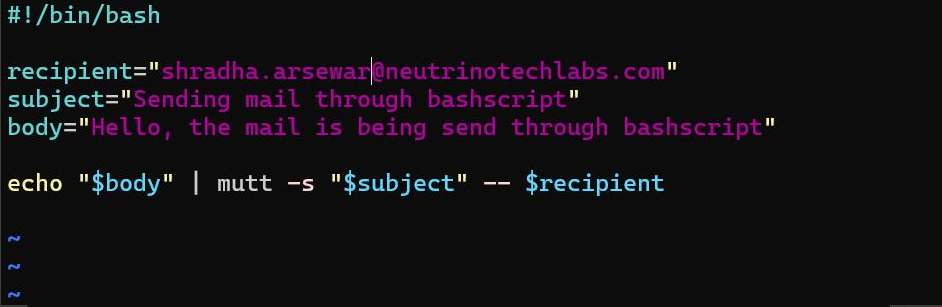
Step 4: Create the Mutt config file:
nano ~/.muttrc
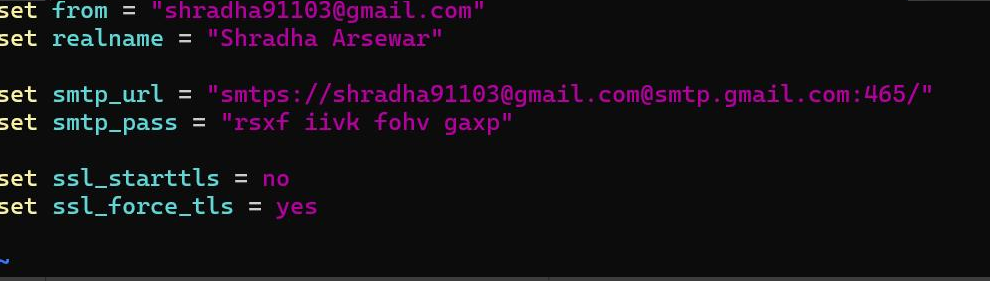
Step 5: Make script executable
chmod +x filename.sh
Step 6: Run Script: ./filename.sh
