Git commands
I am Shradha Arsewar working as Associate software Engineer used to work as a Intern in Product Company (PTC). Likes to share knowledge
Git is a version control system that helps you track changes in your code and collaborate with others.
Advantages of Git:
1. Version Control:
Git saves the complete history of your code, allowing you to go back to any earlier version if something goes wrong. Mistakes are easy to fix by simply reverting or resetting changes.
2.Branching and Merge:
Git lets you create branches to work on new features or fixes without affecting the main code. You can later merge them safely into the main project. This makes it easy to test ideas without risk.
3. Collaboration:
Git allows multiple developers to work on the same project at once. It manages changes and helps resolve conflicts when edits overlap.
Daily Commands
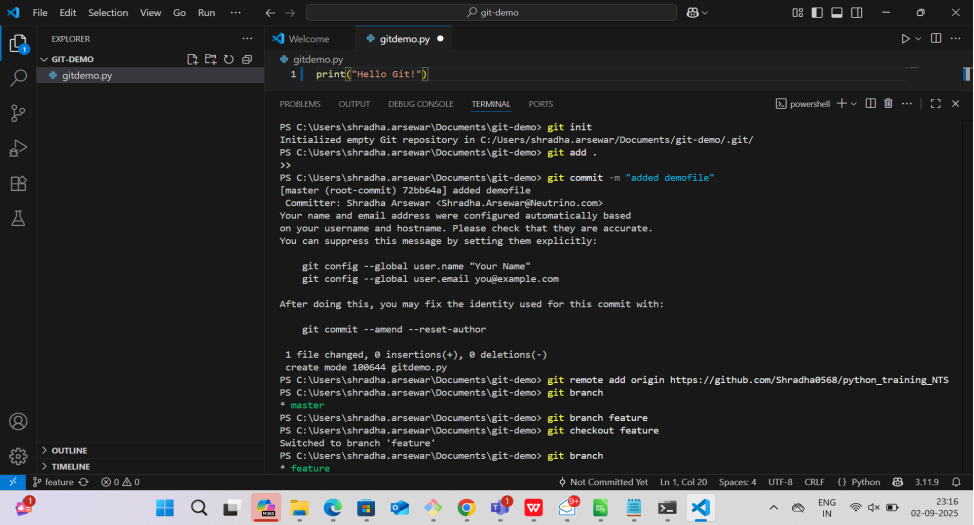
1.git init
Creates a new Git repository in your current folder.
2.git clone <url>:
Git clone copies an existing remote repository to your local machine. It creates a complete copy, including the project history
3.git status:
Shows which files have changed and what’s staged for commit.
- git add <file>:
It stages the untracked specified file(s) for the next commit. It tells Git to include those changes when you create a commit.
5.git commit -m "message":
Saves the staged changes with a descriptive message. makes the staged file as tracked
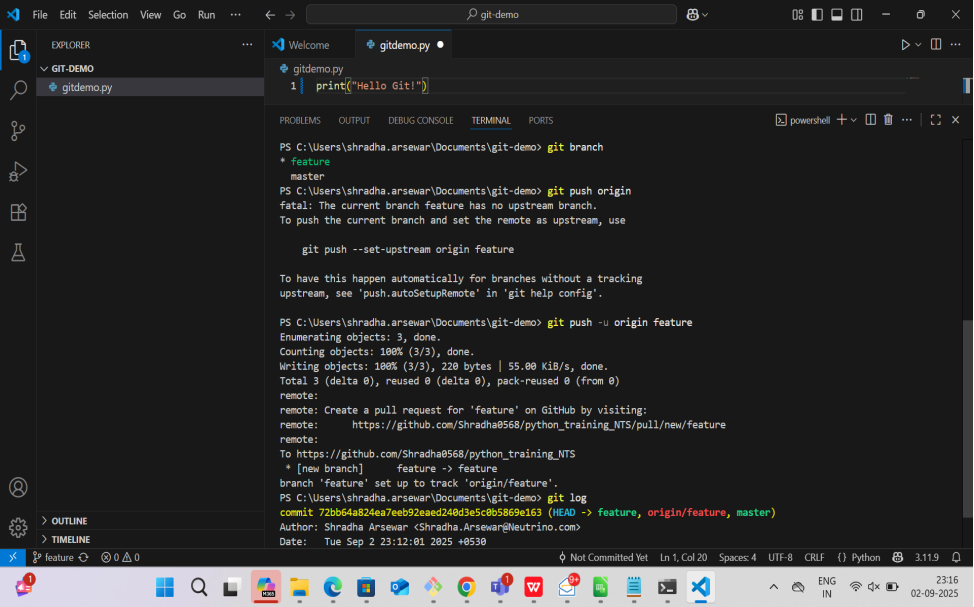
6. git push origin:
Uploads your local commits to the remote repository.
7.git pull:
Fetches and merges updates from the remote repository into your local copy.
8.git clone <url>:
It copies an existing remote repository to your local machine. It creates a complete copy, including the project history.
9.git clone -b branch_name <repo url>::
clones the specific branch from the repo specified.
10.git checkout -b <branch-name>:
This command creates a new branch and switches to it immediately.
11.git log:
this command list the activity or history.
12. git stash:
stash is the temporary storage used to store the tracked or untracked files. Saves modified tracked files and staged changes.
13. git stash list :
It shows a list of all stashed changes, typically identified by stash@{n} where n is the index.
14. git fork :
it happened from GitHub to GitHub, it copies the github repo to own github repo.
